YouTube Studio Lighting Guide
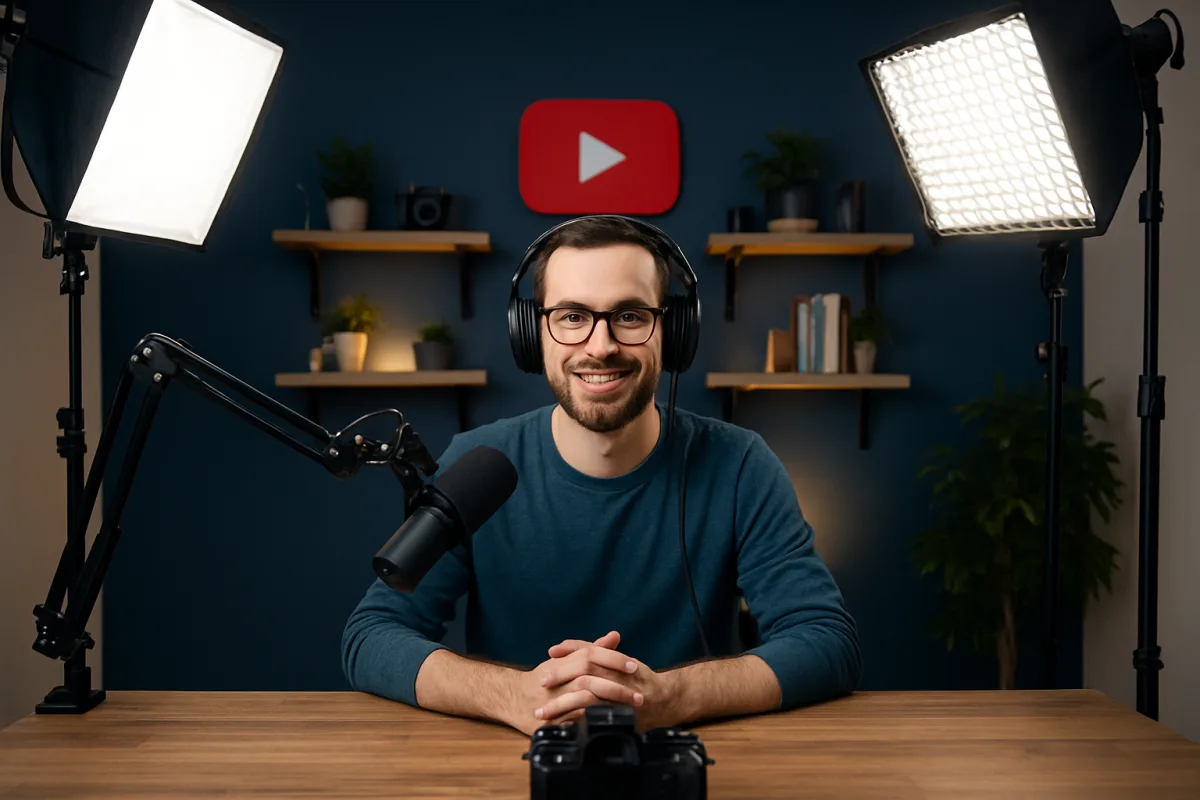
Effective lighting is crucial for creating high-quality YouTube videos. Start by using softbox lights or LED panels to achieve even illumination. Consider the three-point lighting setup, which includes key, fill, and back lights to enhance depth and dimension. Natural light can also be a great option, especially during the day. However, be mindful of shadows and fluctuating light conditions. Investing in adjustable lighting solutions allows for flexibility in different shooting environments, ensuring consistent video quality.
Quick Summary
Lighting can make or break your YouTube videos. For optimal results, consider using softbox lights or LED panels to achieve a professional look. A three-point lighting setup is recommended for depth, while natural light can be a great alternative during the day. Adjustable lighting solutions offer versatility for various shooting conditions. Understanding these options will help you elevate your video quality significantly.
Curator Notes
Lighting is one of the most critical aspects of video production, especially for YouTube creators. Proper lighting not only enhances the visual quality but also sets the mood and tone of your content. The first step is to choose the right type of lights.
Softbox lights are popular for their ability to diffuse light evenly, reducing harsh shadows. LED panels are another excellent option, offering adjustable brightness and color temperature, which can be crucial for achieving the desired look. A three-point lighting setup is a highly effective method that includes a key light, fill light, and back light.
The key light is your main source of illumination, while the fill light softens shadows created by the key light. The back light adds depth by separating the subject from the background. This setup is versatile and can be adapted to various shooting scenarios, making it a favorite among professional videographers.
Natural light is an accessible alternative, especially for those starting out. Shooting near windows can provide beautiful, soft lighting. However, it comes with challenges, such as changing light conditions throughout the day.
To mitigate this, consider using reflectors to bounce light back onto your subject, which can help maintain consistency. When selecting lighting equipment, consider your budget and space. While high-end lights offer superior quality, there are many affordable options that can still deliver great results.
Brands like Neewer and Godox provide budget-friendly solutions without compromising on performance. Adjustable lighting solutions are particularly beneficial for creators who film in different environments. Being able to modify the intensity and color of your lights can help you adapt to various settings, ensuring your videos maintain a professional appearance regardless of where you shoot.
Finally, always test your lighting setup before recording. Experiment with different angles and intensities to find what works best for your specific style and content. This practice will not only improve your video quality but also enhance your overall production skills.
In summary, investing time and resources into understanding and implementing effective lighting techniques can significantly elevate your YouTube videos. Whether you choose artificial lighting or natural light, the key is to create a setup that enhances your content and engages your audience effectively.
Recommended Options
- Neewer 660 LED Video Light: Best for Budget-conscious creators seeking quality lighting. Offers adjustable brightness and color temperature. Signal checked: Highly rated on Amazon with numerous positive reviews. Alternative to consider: Godox SL-60W for more power.
- Fovitec Softbox Lighting Kit: Best for Creators needing soft, diffused lighting. Includes multiple softboxes for even light distribution. Signal checked: Popular among YouTubers for its affordability and effectiveness. Alternative to consider: LimoStudio Softbox Kit for a similar setup.
- Elgato Key Light: Best for Streamers and YouTubers needing adjustable lighting. Can be controlled via an app for convenience. Signal checked: Widely recommended by content creators for its ease of use. Alternative to consider: Neewer Ring Light for a more portable option.
Best Sources
Videos and Community Signals
Change your YouTube Studio at home into something more CINEMATIC using these tips! Lights used in this video: MAIN LIGHT: ...
All Equipment Mentioned Here - https://link.creatorhub.io/WTjilS Work With Me - https://owencreative.com/ In this video in ...
Comparison
| Decision Point | Good Starting Choice | When to Go Further |
|---|---|---|
| Lighting Type | Softbox lights for soft, diffused lighting. | LED panels for adjustable brightness and color. |
| Setup Complexity | Simple two-light setup for beginners. | Three-point lighting for professional quality. |
| Budget | Affordable kits under $100. | Higher-end options for serious creators. |
FAQ
Softbox lights and LED panels are highly recommended for their versatility and quality.
Position a key light in front, a fill light to the side, and a back light behind the subject.
Yes, natural light can be effective, but be mindful of changing conditions.