Solopreneur Project Apps SaaS
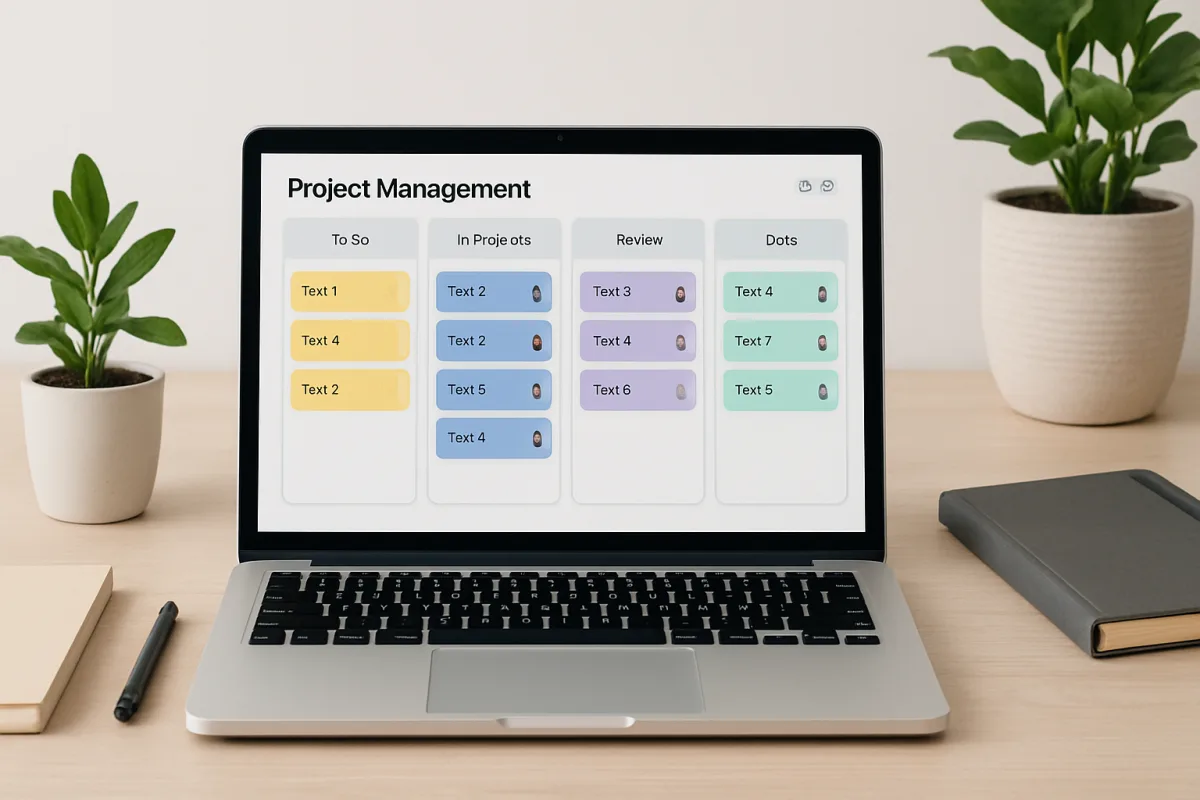
For solopreneurs looking to streamline their projects, several SaaS applications stand out. Tools like Trello offer intuitive task management, while Asana provides robust project tracking features. Notion combines note-taking with project management, making it versatile for various workflows. Each of these tools has unique strengths: Trello's visual boards are great for quick overviews, Asana's timelines help in deadline management, and Notion's flexibility allows for tailored setups. Choosing the right app depends on your specific needs, such as collaboration features, integration capabilities, and budget constraints.
Quick Summary
Selecting the right project management app is crucial for solopreneurs aiming to enhance productivity. Trello, Asana, and Notion are top contenders, each catering to different project management styles. Trello excels in visual task management, Asana offers detailed project tracking, and Notion provides a customizable workspace. Understanding your workflow and specific requirements will help you choose the best tool for your needs, balancing features, ease of use, and cost.
Curator Notes
Navigating the landscape of project management apps can be overwhelming for solopreneurs, but understanding the strengths of each option can simplify the decision-making process. Trello is particularly appealing for those who prefer a visual approach. Its card-based layout allows users to easily move tasks through different stages, making it ideal for quick updates and team collaboration.
However, it may lack some advanced features that larger teams might require, such as detailed reporting and time tracking. Asana, on the other hand, is designed for more complex project management needs. It offers features like timelines, dependencies, and workload management, which can be beneficial for solopreneurs managing multiple projects simultaneously.
The trade-off is that Asana can feel overwhelming for users who prefer a simpler interface, and its pricing can escalate as you add more features. Notion stands out for its flexibility and customization options. It allows users to create databases, wikis, and project boards all in one platform.
This makes it a great choice for solopreneurs who want to tailor their workspace to fit their unique workflow. However, the learning curve can be steep, and it may take time to set up effectively. When considering these tools, think about your specific needs.
If you prioritize ease of use and visual management, Trello is a solid choice. For those needing detailed project tracking and reporting, Asana is worth the investment. If customization is key, Notion could be the best fit.
Budget is another important factor. Trello offers a free tier with basic features, while Asana’s free version is limited in functionality. Notion also has a free version, but its full potential is unlocked with a paid plan.
Evaluate what features you truly need versus what you can do without. Integration capabilities are also crucial. All three tools integrate with various other applications, but if you rely heavily on specific software, check compatibility before committing.
This can save you time and frustration in the long run. Ultimately, the best project management app for solopreneurs will depend on individual workflow preferences, project complexity, and budget. Taking the time to assess these factors will lead to a more informed decision and better productivity outcomes.
Recommended Options
- Trello: Best for visual task management Trello's card-based interface is intuitive and easy to use, making it perfect for quick project updates. Signal checked: Widely adopted by teams for its simplicity and effectiveness, especially in creative projects. Alternative to consider: Asana for more complex project tracking.
- Asana: Best for detailed project tracking Offers advanced features like timelines and workload management, ideal for managing multiple projects. Signal checked: Highly rated by users for its comprehensive project management capabilities. Alternative to consider: Trello for simpler task management.
- Notion: Best for customizable workspaces Combines note-taking, project management, and databases in one platform, allowing for tailored setups. Signal checked: Gaining popularity for its versatility and user-friendly design. Alternative to consider: Asana for structured project management.
Best Sources
Videos and Community Signals
Mike is a founder from Australia who has bootstrapped three SaaS apps to a combined $200K MRR. This video breaks down his ...
The startup is ZenVoice, a no-code tool for Stripe users to generate invoices without paying the 0.4% fee: https://zenvoice.io/ I ...
Comparison
| Decision Point | Good Starting Choice | When to Go Further |
|---|---|---|
| Ease of Use | Trello is best for users who want a straightforward, visual approach. | Asana is better for those who need detailed project tracking and reporting. |
| Customization | Trello allows basic customization with boards and lists. | Notion offers extensive customization options for various workflows. |
| Pricing | Trello has a free tier suitable for small projects. | Asana's pricing can increase significantly with added features. |
FAQ
It depends on your needs. Trello is great for visual task management, Asana for detailed tracking, and Notion for customization.
Yes, all three apps support collaboration, but the level of functionality varies.
Yes, Trello and Notion offer free versions, while Asana has a limited free tier.