Product Photography on a Budget
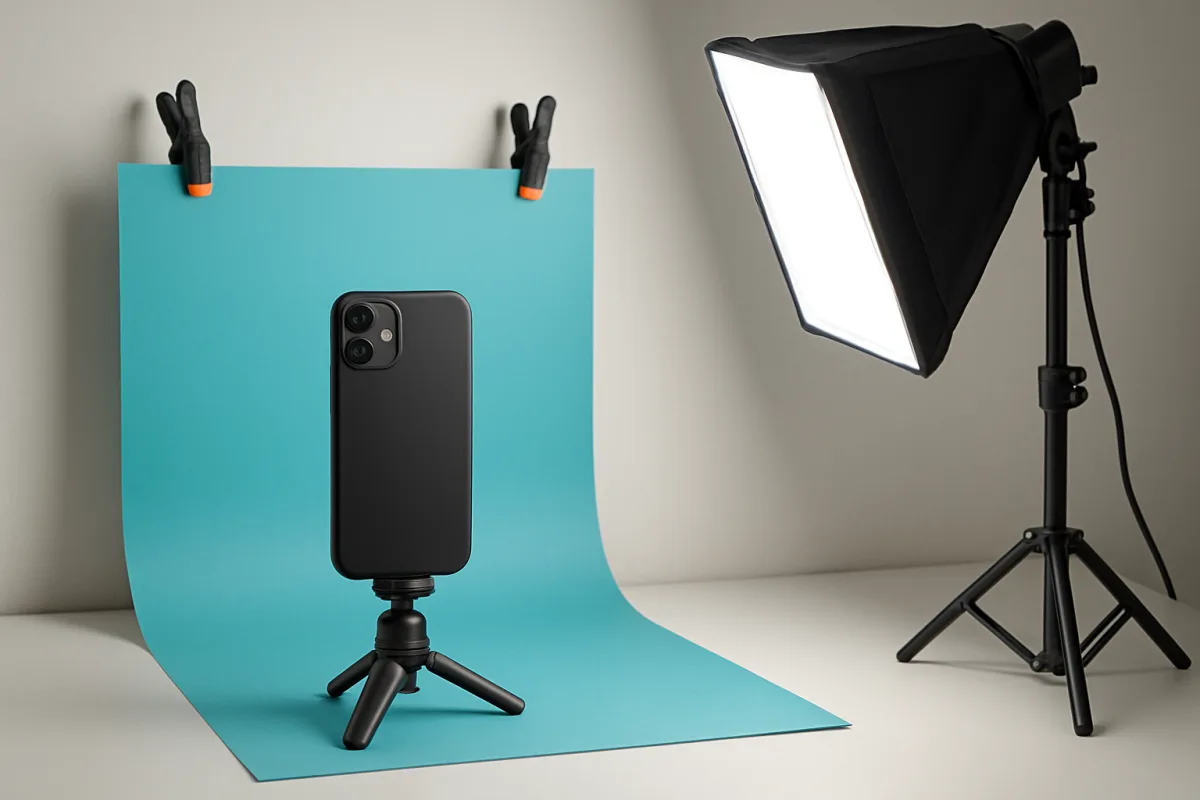
To achieve great product photography on a budget, focus on using natural light, DIY backdrops, and affordable equipment. Utilize your smartphone camera, which often has excellent capabilities, and consider low-cost editing software for post-processing. Explore online resources for tips on composition and lighting to enhance your photos without breaking the bank.
Quick Summary
Product photography doesn't have to be expensive. By leveraging natural light, DIY setups, and affordable tools, you can capture high-quality images. This guide provides practical tips and methods to help you achieve professional-looking results on a budget.
Curator Notes
Achieving professional-quality product photography on a budget is entirely feasible with the right techniques and tools. Start by utilizing natural light, which can significantly enhance the quality of your images without any cost. Position your products near windows or outdoors during the golden hour for the best results.
If natural light is insufficient, consider inexpensive LED lights to illuminate your setup evenly. Next, create DIY backdrops using materials like poster boards, fabric, or even textured surfaces found around your home. This allows you to customize the background to complement your products without spending much.
For equipment, your smartphone camera can be a powerful tool; many modern smartphones have excellent cameras that can produce stunning images. Additionally, free or low-cost editing software can help you refine your photos and make them more appealing for e-commerce platforms.
Recommended Options
- Smartphone Camera: Best for Budget-conscious photographers Modern smartphones have high-quality cameras with various features suitable for product photography. Signal checked: Widely used and recommended by photography enthusiasts. Alternative to consider: Entry-level DSLR cameras
- Neewer Softbox Lighting Kit: Best for Indoor photography setups Provides soft, even lighting that reduces harsh shadows. Signal checked: Highly rated on e-commerce platforms for affordability and performance. Alternative to consider: DIY reflector setups
- GIMP Photo Editing Software: Best for Post-processing images Signal checked: Popular among budget photographers and graphic designers. Alternative to consider: Canva for simpler edits
Best Sources
Videos and Community Signals
Start here Product Photography Made Simple For Beginners Guide: https://krausemedia.ac-page.com/freeguide Check out ...
Want to take professional e-commerce product photos with just one light? In this video, we'll show you a simple yet effective setup ...
Comparison
| Decision Point | Good Starting Choice | When to Go Further |
|---|---|---|
| Lighting | Natural light from windows | Softbox lighting for controlled indoor shoots |
| Camera | Smartphone camera | Entry-level DSLR for more control and quality |
| Editing Software | Free apps like Snapseed | GIMP for advanced editing features |
FAQ
Yes, modern smartphones have excellent cameras that can capture high-quality product images.
Natural light is ideal, but softbox lighting can provide consistent results indoors.
Software like GIMP and online tools like Canva offer free options for photo editing.