Google Analytics 4 Setup Guide
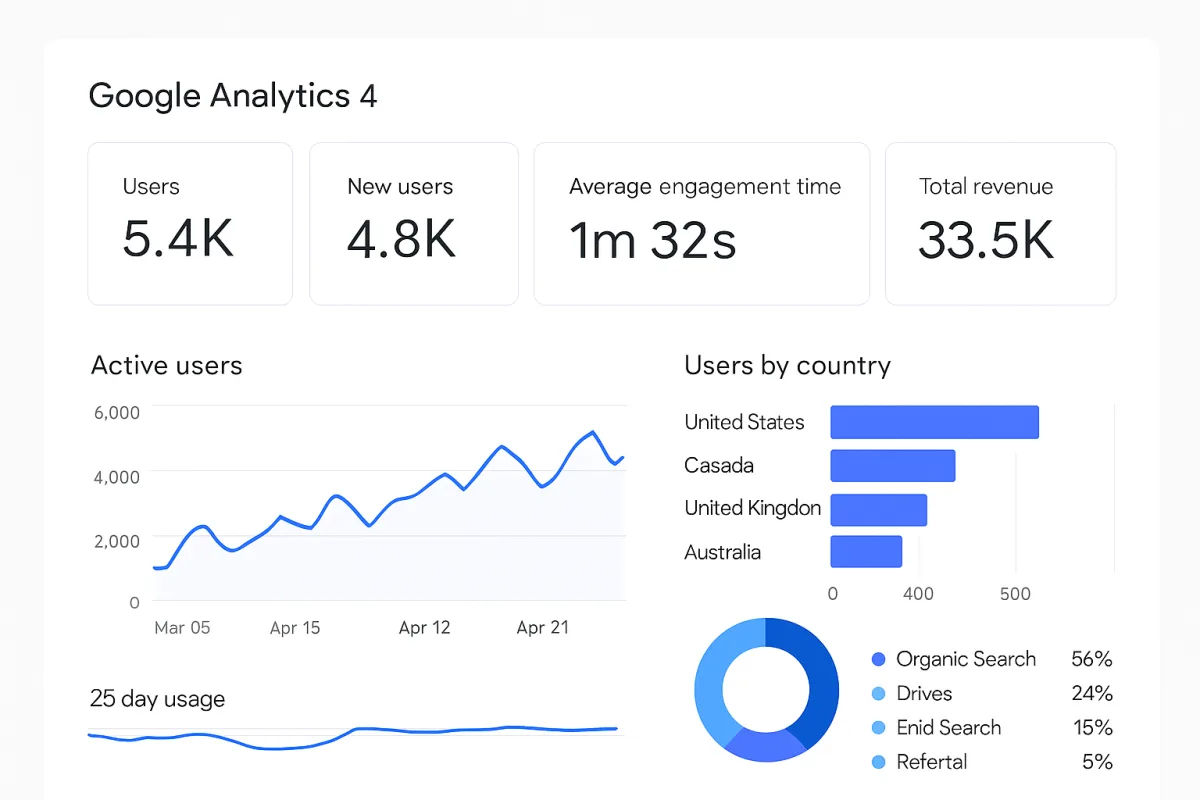
Setting up Google Analytics 4 (GA4) involves several key steps to ensure accurate tracking of user interactions on your website. Start by creating a GA4 property in your Google Analytics account. You'll need to configure data streams for your website or app, which involves adding a measurement ID to your site's code. It's also essential to set up conversions to track specific user actions, such as purchases or sign-ups. Finally, familiarize yourself with the GA4 interface to analyze the collected data effectively. For detailed guidance, refer to official Google documentation and tutorials.
Quick Summary
Google Analytics 4 setup requires creating a property, configuring data streams, and setting up conversions to track user interactions effectively. Understanding the GA4 interface is crucial for data analysis. This guide will walk you through the essential steps, ensuring you can leverage GA4's capabilities to gain insights into user behavior on your website or app.
Curator Notes
Setting up Google Analytics 4 (GA4) is a crucial step for any digital marketer looking to track user interactions effectively. The first step is to create a GA4 property in your Google Analytics account. This process is straightforward; simply navigate to the Admin section and select 'Create Property.' You'll need to provide basic information about your business and the website or app you want to track.
Once the property is created, the next step is to configure data streams. This involves setting up a data stream for your website or app, which generates a unique measurement ID. You'll need to add this ID to your website's code, typically in the header section, to enable data collection.
For those using a content management system like WordPress, plugins can simplify this integration. Setting up conversions is another critical aspect of GA4. Conversions help you track specific user actions that are important for your business, such as purchases, sign-ups, or downloads.
In the GA4 interface, you can define what constitutes a conversion by marking specific events. This allows you to measure the effectiveness of your marketing efforts accurately. Familiarizing yourself with the GA4 interface is essential for analyzing the data you collect.
GA4 offers a more streamlined and user-friendly experience compared to its predecessor, Universal Analytics. The new event-based model allows for more granular tracking, but it requires a shift in how you think about data collection and analysis. One common pitfall is neglecting to test your setup.
After implementing GA4, use the DebugView feature to ensure that data is being collected as expected. This step is crucial for identifying any issues early on, which can save you time and frustration later. Lastly, consider ongoing education.
Google frequently updates GA4 with new features and capabilities. Staying informed through official Google resources, webinars, and community forums can help you make the most of this powerful tool. Regularly revisiting your setup and adjusting your tracking strategies as your business evolves will ensure that you continue to gather valuable insights.
In summary, the setup process for Google Analytics 4 involves creating a property, configuring data streams, setting up conversions, and becoming familiar with the interface. By following these steps and continuously learning, you can leverage GA4 to enhance your digital marketing efforts effectively.
Best Sources
Videos and Community Signals
In this video we will setup Google Analytics and connect it to your website. It's actually really easy to do, just follow the steps.
For Courses visit - https://learn.umartazkeer.com/ or connect at +919721410786. For Agency visit - https://utdigitalmedia.com/ or ...
Comparison
| Decision Point | Good Starting Choice | When to Go Further |
|---|---|---|
| Online booking | A simple booking page with service duration, staff assignment and confirmation emails. | Multi-location calendars, deposits, cancellation rules and waitlist handling. |
| Client records | Basic notes, visit history and contact details are enough to start. | Segmentation, purchase history, memberships, forms and before-after notes become more important. |
| Reminders | SMS or email reminders help reduce no-shows without adding admin work. | Automated rebooking, follow-up campaigns and missed-appointment recovery matter more. |
| Payments | Card capture and checkout should be simple and transparent. | Packages, memberships, staff commissions, tips and refunds need cleaner reporting. |
| Marketing | Light email or SMS campaigns are useful if they are easy to run. | Automated win-back, birthday offers, review requests and audience segments create more leverage. |
FAQ
GA4 uses an event-based model for tracking user interactions, while Universal Analytics relies on a session-based model. This allows GA4 to provide more detailed insights into user behavior across different platforms.
To set up conversion tracking in GA4, navigate to the Events section, select the events you want to track as conversions, and toggle the conversion switch. This will allow you to measure specific user actions.
Yes, GA4 is designed to track user interactions across both websites and mobile apps, providing a unified view of user behavior.